Connecting your Shopify Store to the Alkasa Marketplace in 90 seconds
6 March 2026· Nad
web, shopify, alkasa marketplace, connect
Connecting your Shopify store to the Alkasa Marketplace
Welcome to Alkasa. This guide walks you through connecting your Shopify store to the Alkasa Marketplace in under 90 seconds.
Video walkthrough

Ready to connect? Connect Store →
Step-by-step instructions
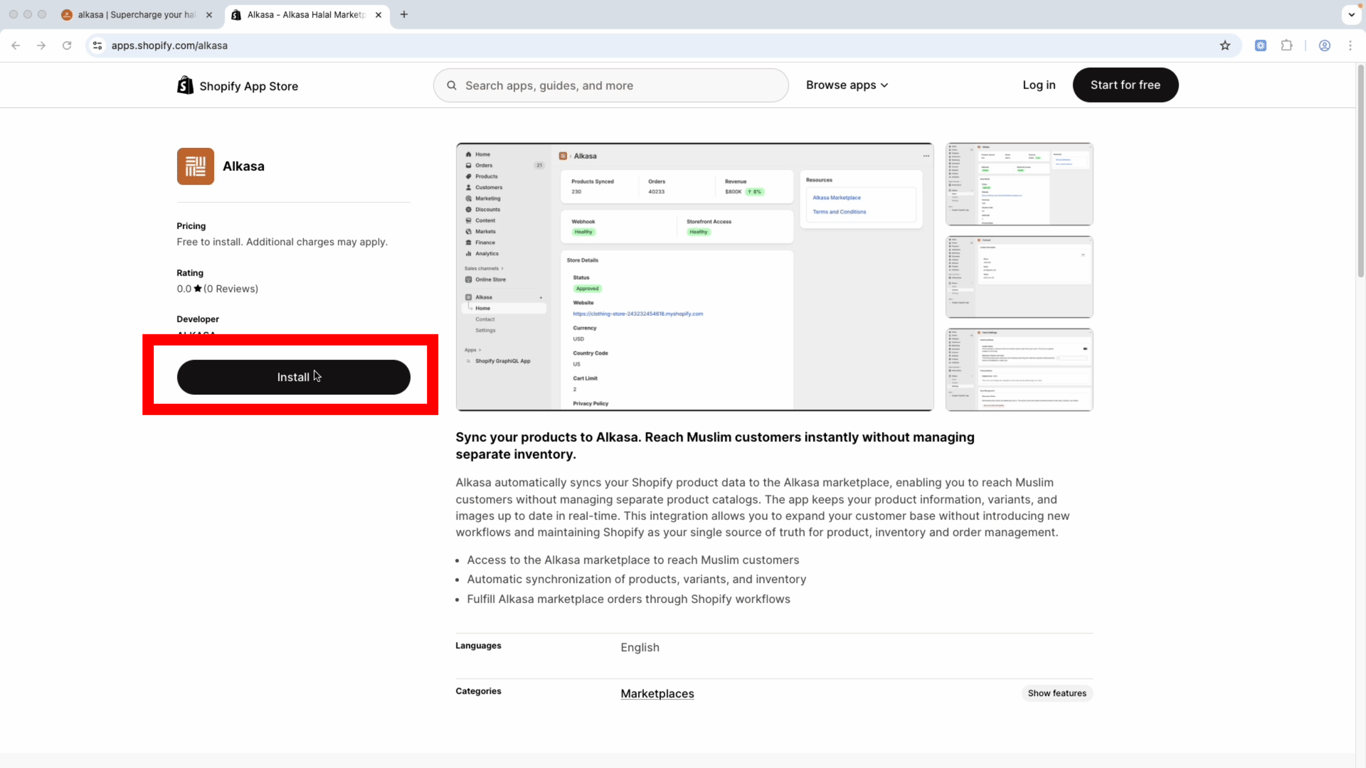
Step 1: Install the Alkasa Sales Channel app
Install the Alkasa sales channel app.
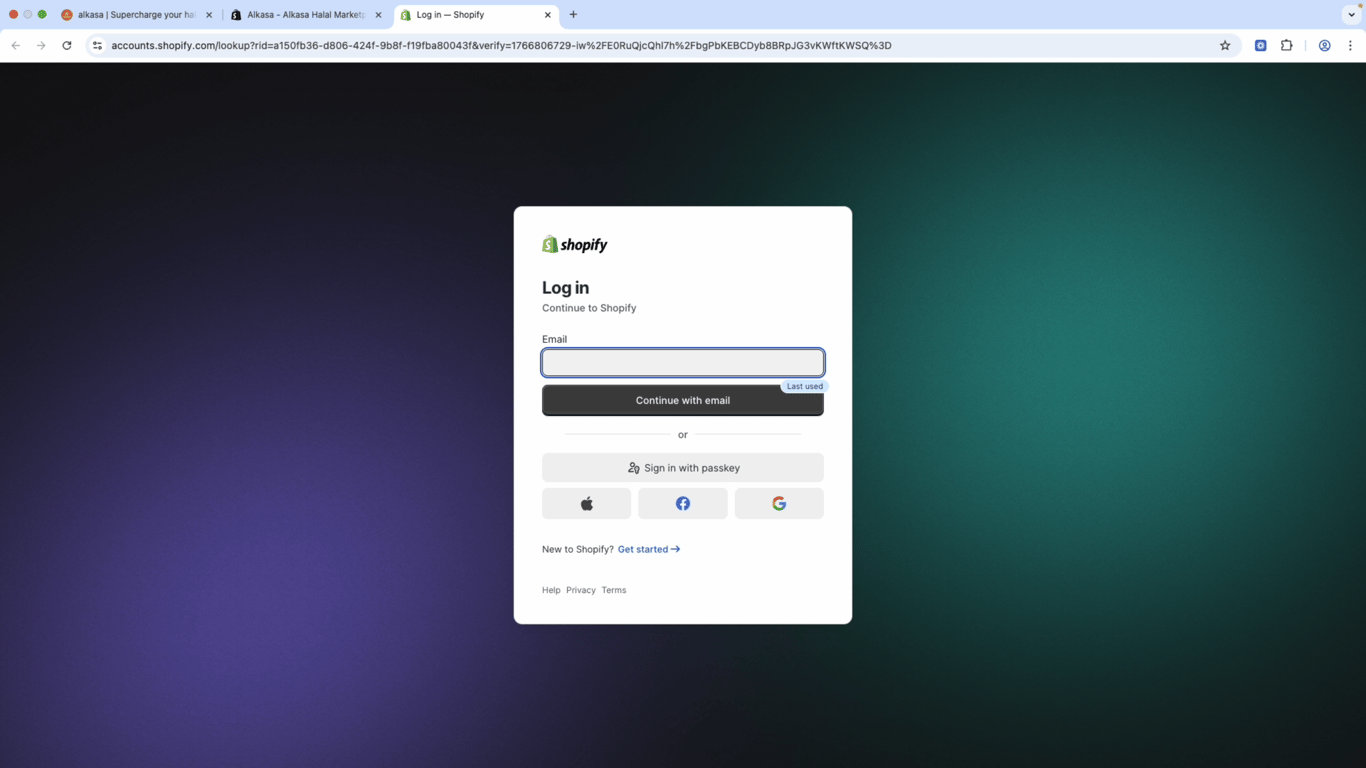
Step 2: Log in to your Shopify store
If you're not already logged in, log in to your Shopify store.
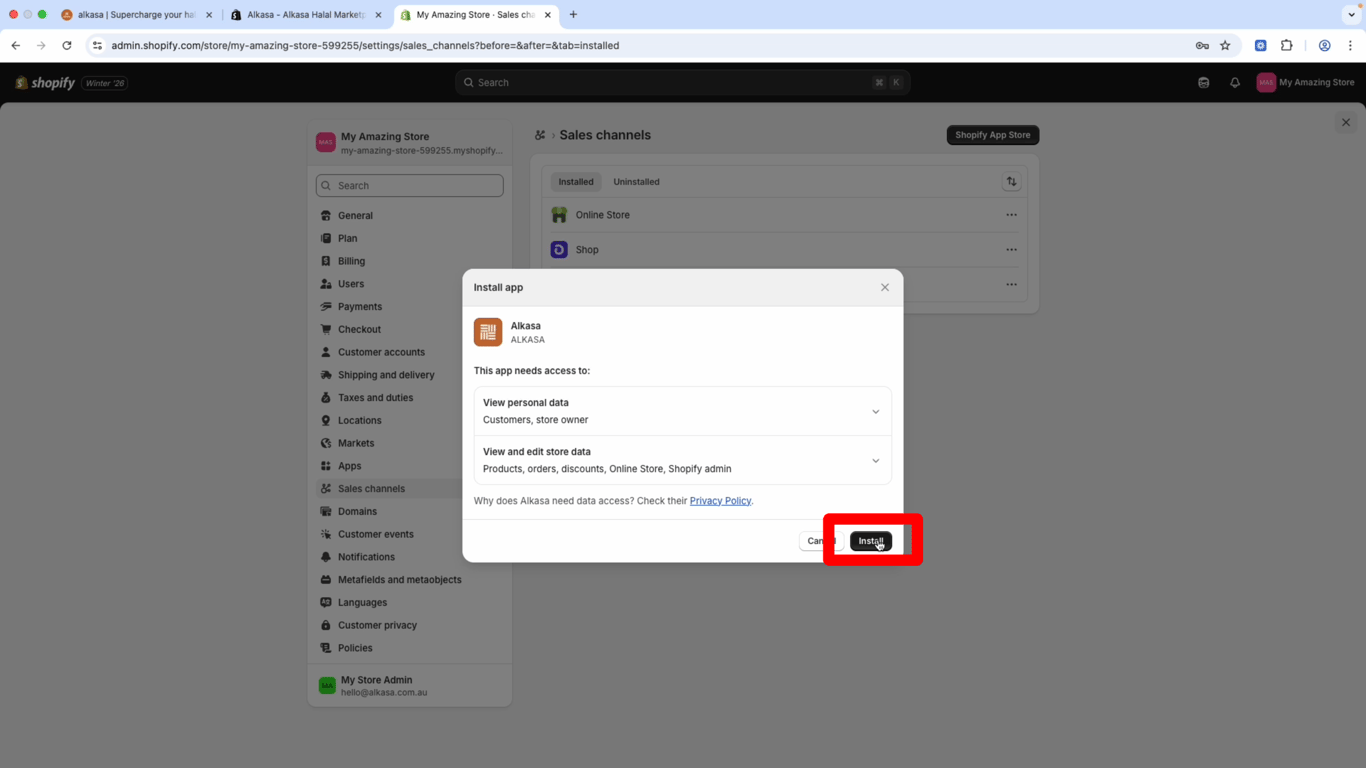
Step 3: Install the app
When the popup appears, click Install.
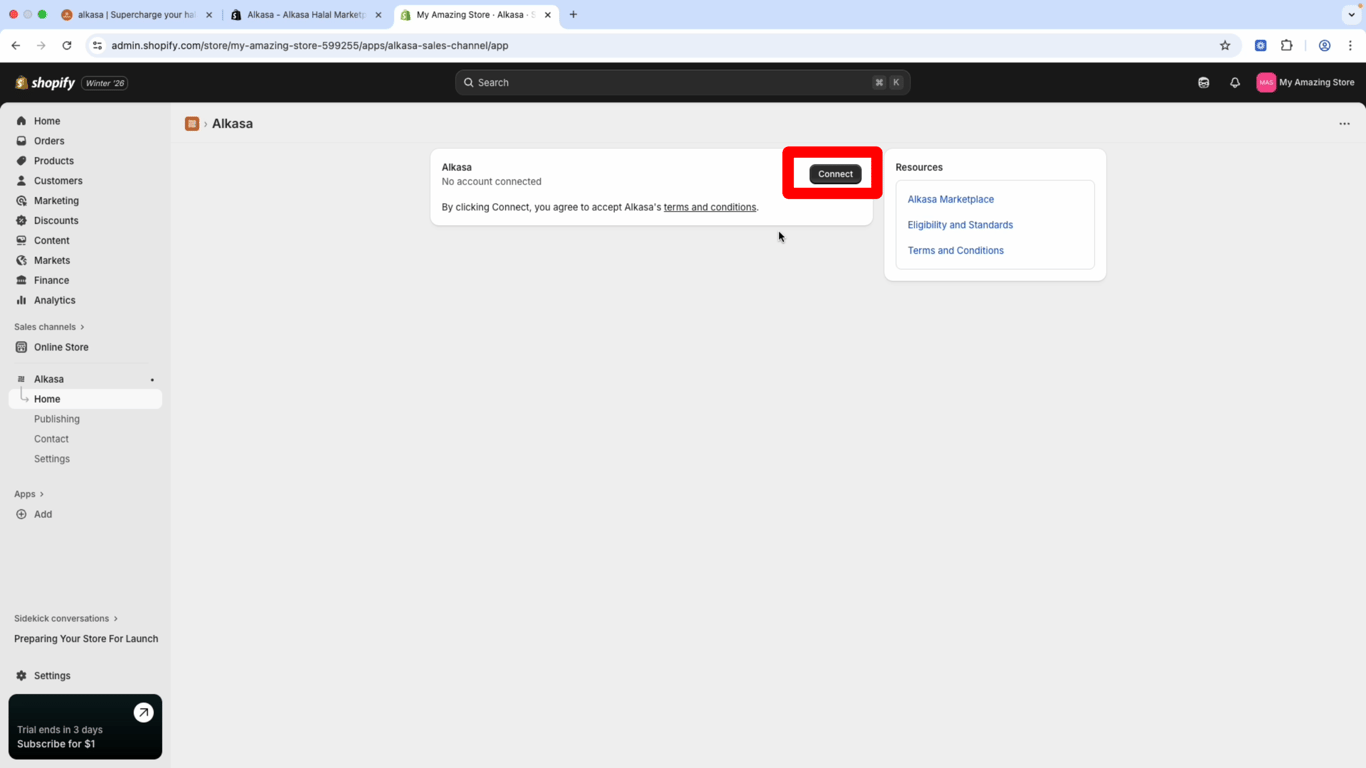
Step 4: Connect your store
When prompted, click Connect to link your Shopify store to the Alkasa marketplace.
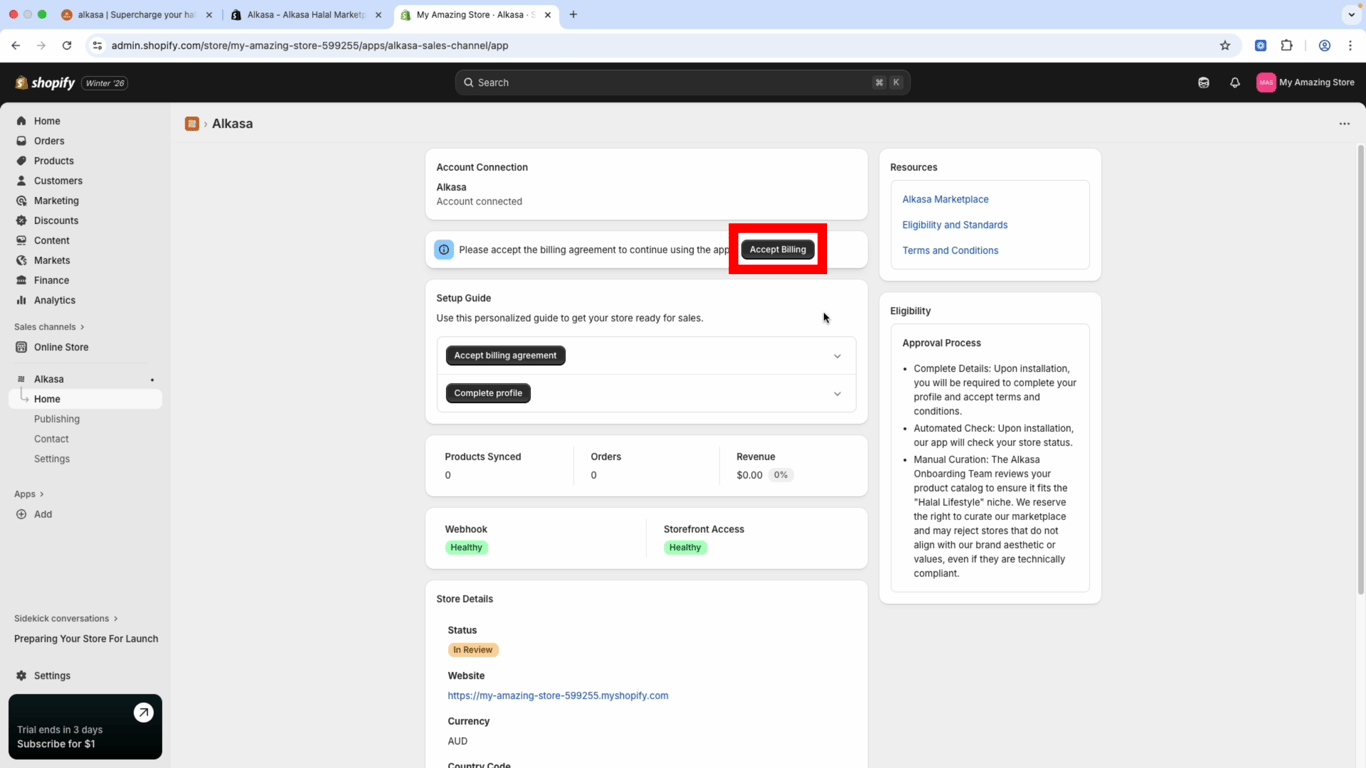
Step 5: Accept billing agreement
In the Alkasa Sales Channel dashboard, click Accept Billing Agreement. This covers commission per sale and lets you start selling on Alkasa.
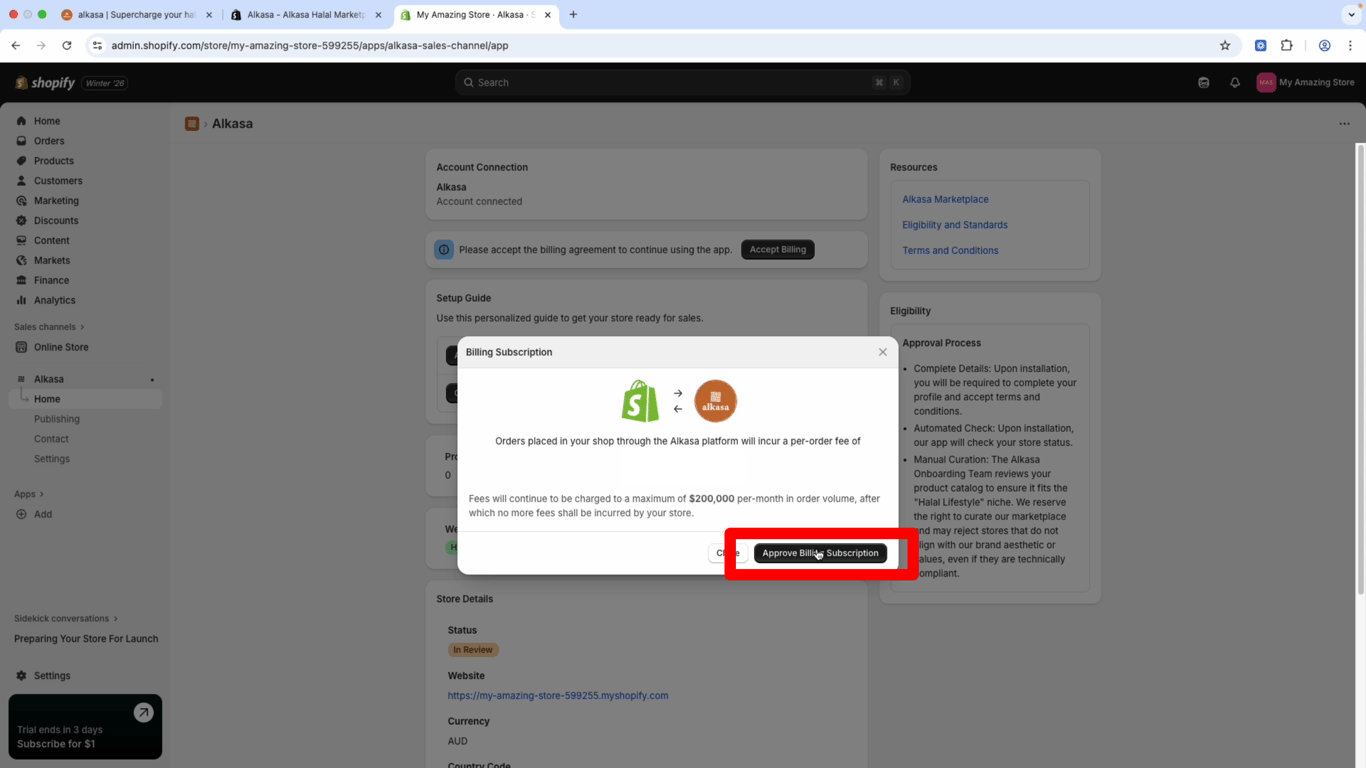
Step 6: Approve billing subscription
When the popup appears, click Approve Billing Subscription.
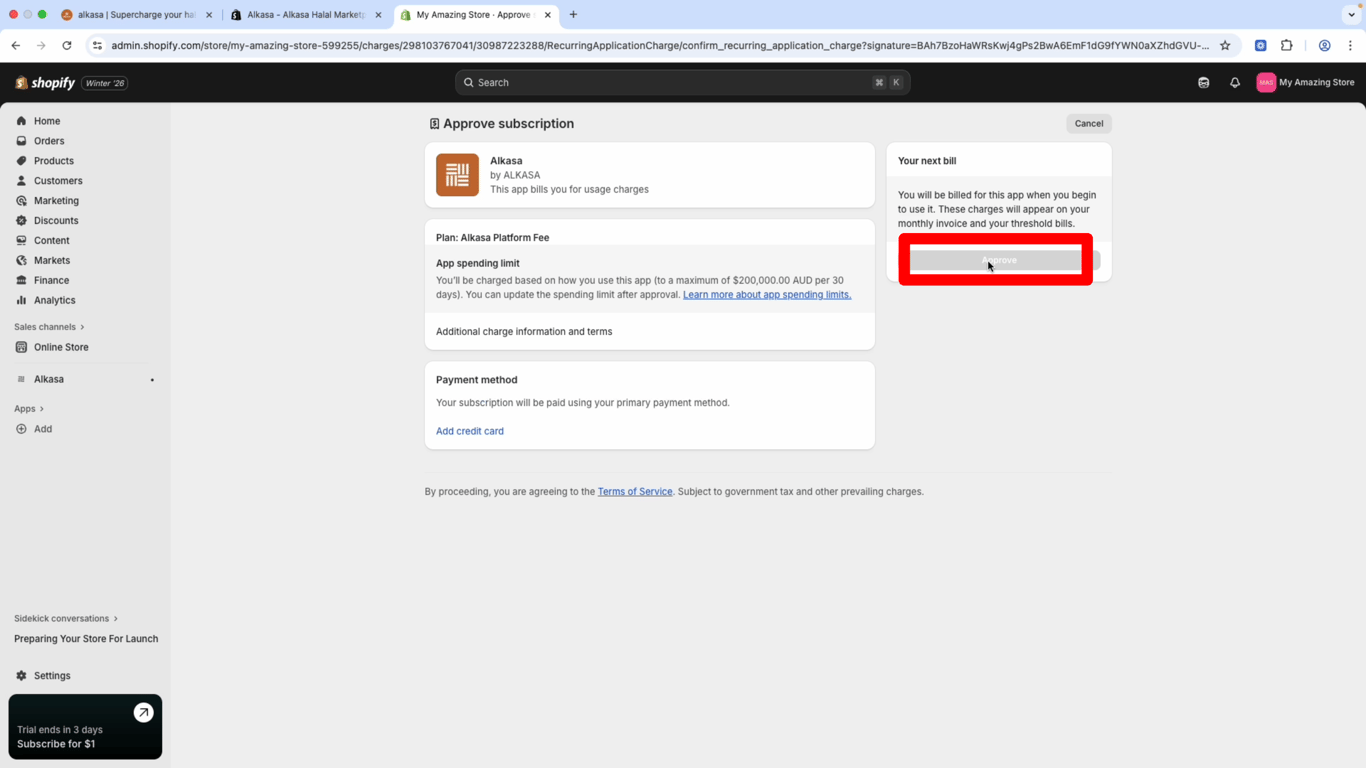
Step 7: Add payment method
Add a payment method and click Approve.
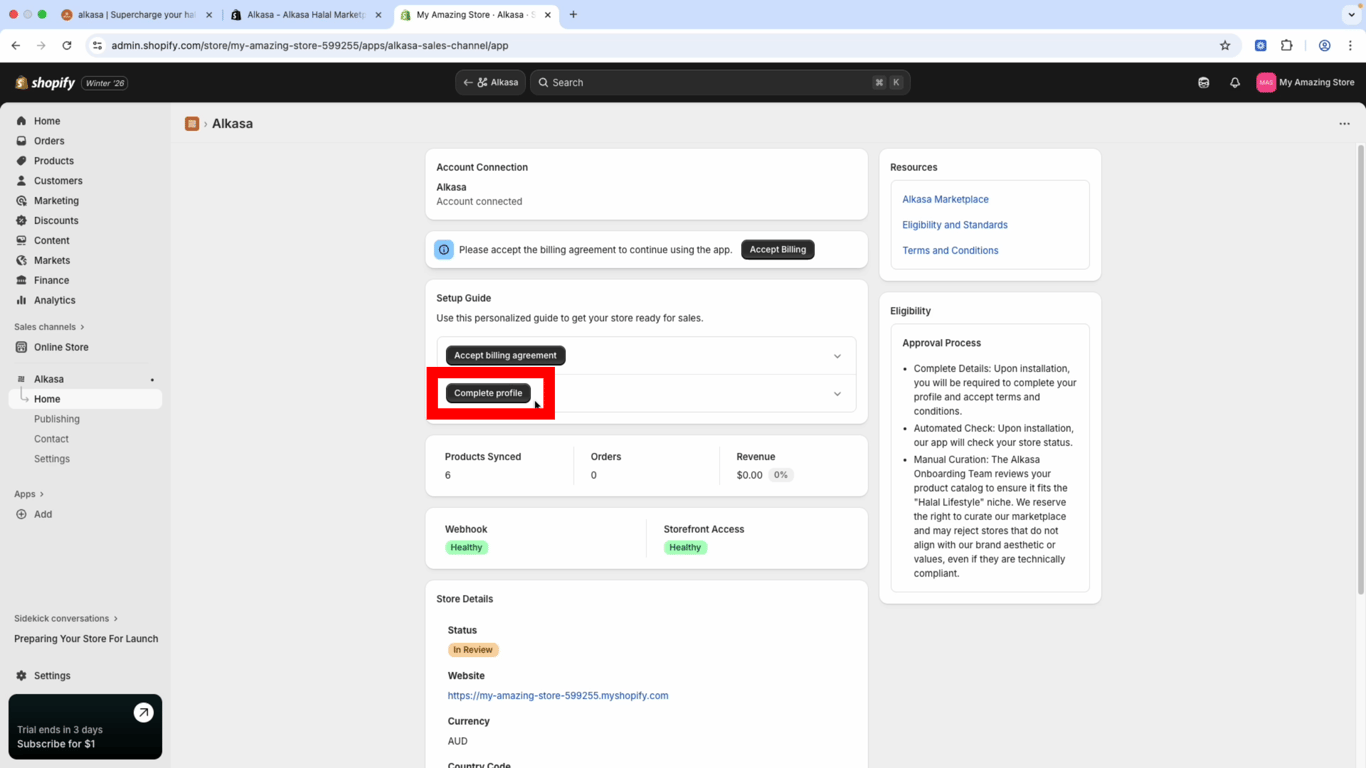
Step 8: Complete profile
In the Alkasa Sales Channel dashboard, click Complete Profile.
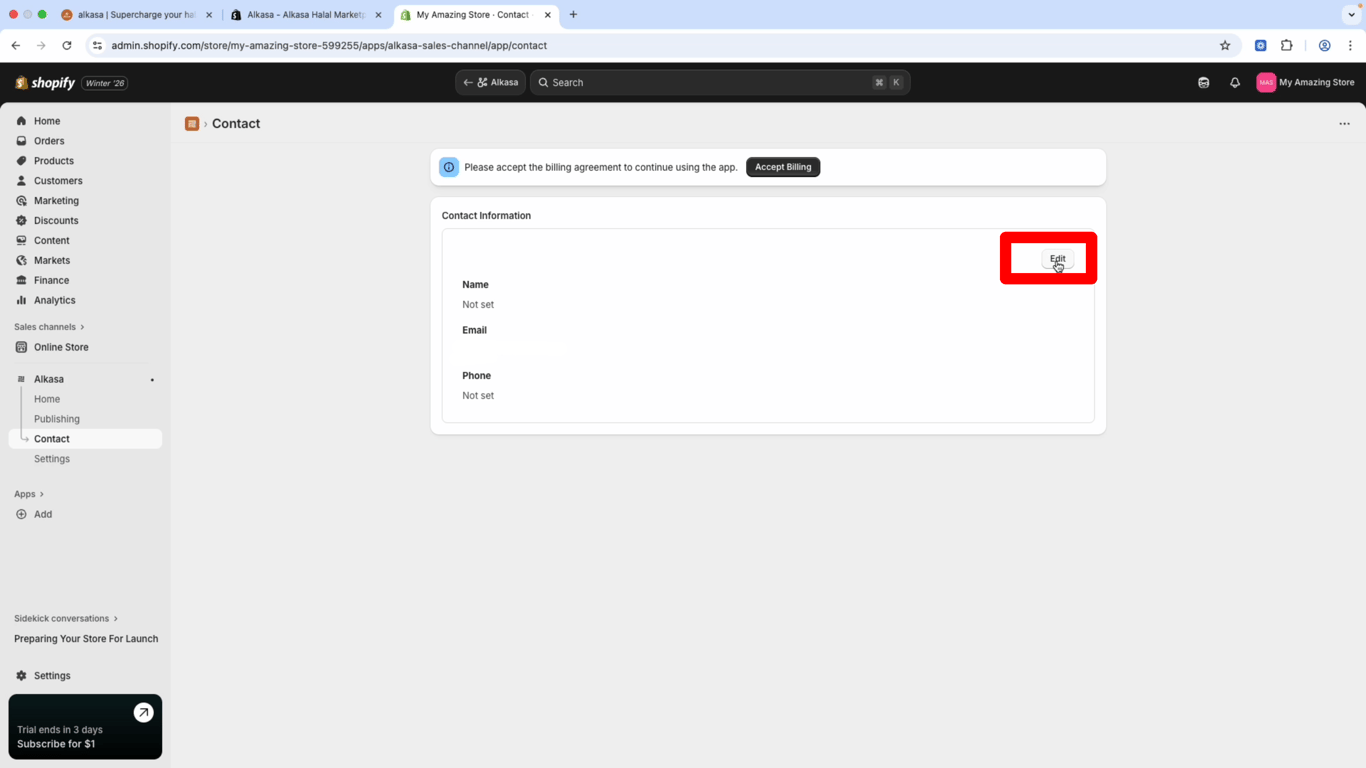
Step 9: Edit your profile
Click Edit, then enter your full name, email, and phone number.
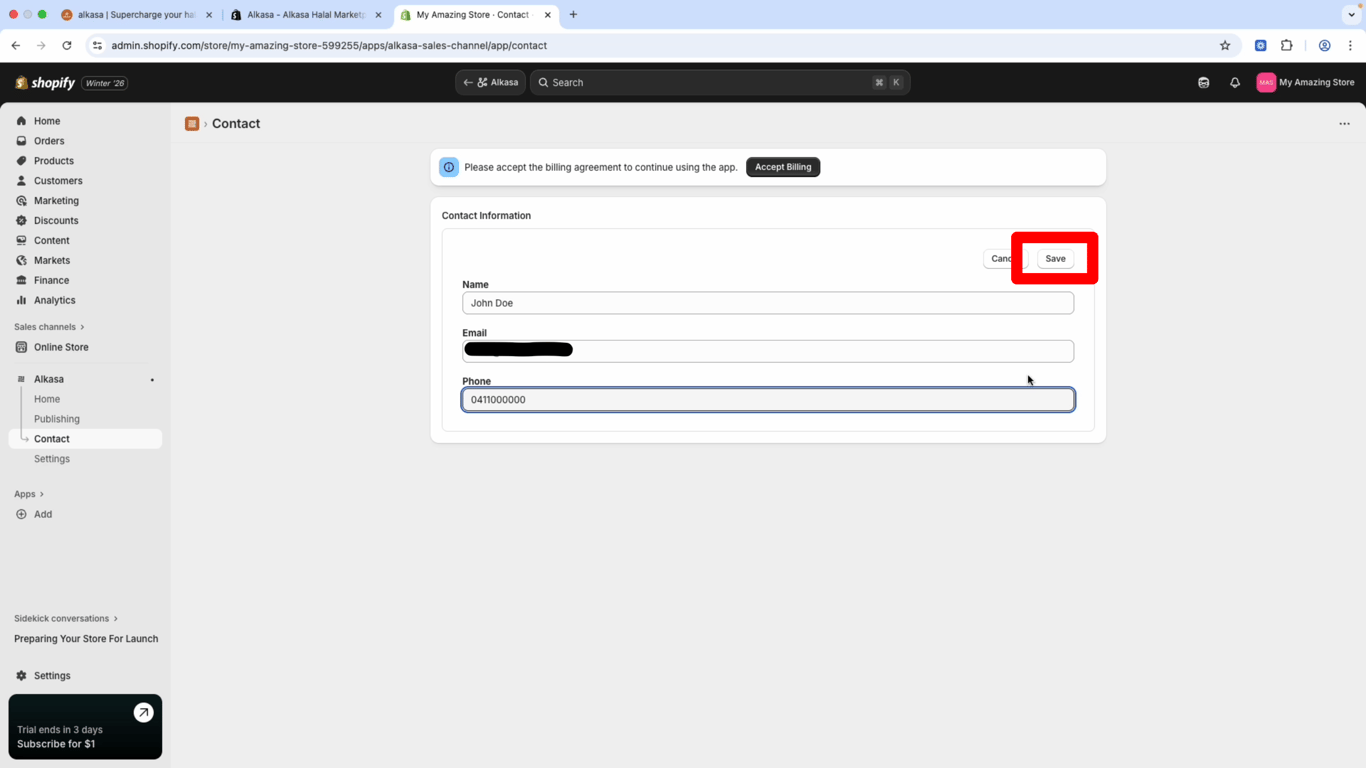
Step 10: Save your profile
Click Save.
Step 11: You're done
Our team will review your store. Once approved, your products will sync to the Alkasa marketplace and you can start selling. All transactions go through your normal Shopify store.
Need help?
If you run into issues, contact our support team—we're here to help.
Next steps
After your store is connected:
- Monitor orders in your Shopify dashboard
- Manage inventory as usual
- Update products in Shopify; changes sync to Alkasa automatically
Ready to get started? Connect Store →